

Connecting Slack
Connect Slack from the Connections page in your Tempo settings. Click Connect next to Slack and authorize Tempo’s access to your Slack workspace.
Slack permissions
During authorization, Tempo requests these Slack bot scopes:
These scopes do not give Tempo access to every private channel. Add the Tempo app to a private channel before it can read that channel’s history or appear in channel mapping.
Linking channels to opportunities
Once Slack is connected, you’ll see your Connections page with Slack enabled but no channels linked yet.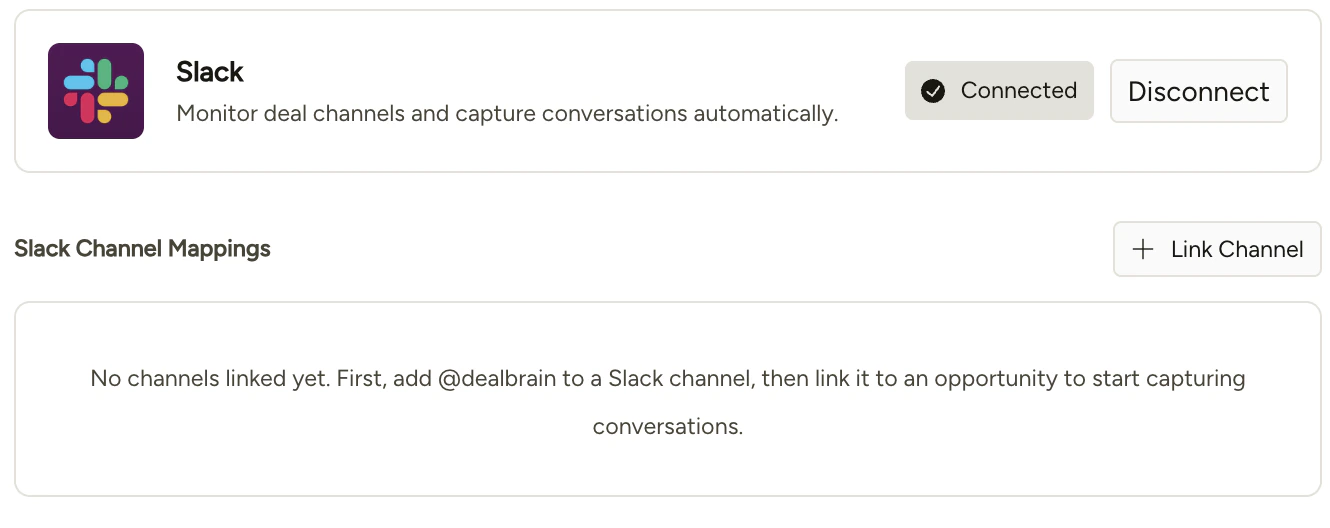
Before a channel appears in the linking control, you need to add the Tempo app to that channel in Slack first. You can do this by typing
/invite @Tempo in the channel.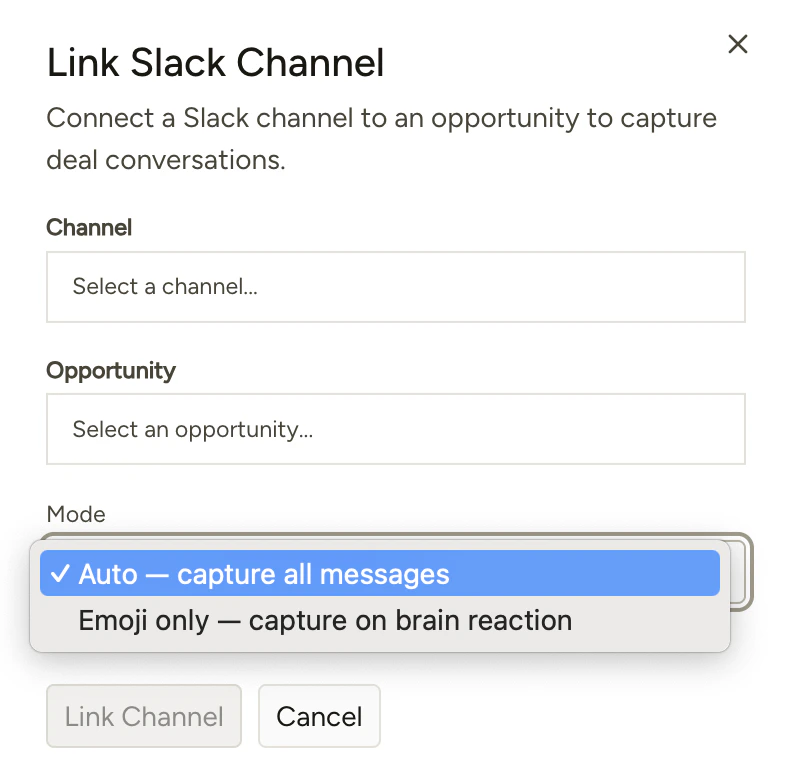
Ingest modes
When linking a channel, you’ll choose how Tempo ingests context from it:
The brain emoji mode is useful for high-volume channels where only specific messages are relevant to the deal.
Ask Tempo in Slack
After an organization admin configures access, you can ask Tempo questions without leaving Slack:- Send the Tempo app a direct message for answers within your personal access.
- Mention
@Tempoin an enabled channel. Tempo answers in a thread and stays within that channel’s assigned scope.
Manage assistant access
Only organization admins can manage Slack assistant access.1
Open Slack mappings
Go to Settings → Team → Mappings, then click Slack.
2
Review People
Tempo matches most Slack users to organization members by email. Resolve unmatched people by selecting a Tempo user, or ignore people who should not use the assistant.
3
Review Channels
Assign each channel an Org-wide, Team, or Opportunity scope. The scope limits the context Tempo can disclose in that channel.
4
Refresh when membership changes
Click Refresh from Slack to update the people and channel lists from your Slack workspace.
Send CRM update approvals to Slack
Organization admins can opt in to Slack approval cards for CRM updates created from new email and meeting activity. Backfilled or regenerated updates remain in the Tempo web app.1
Open Updates settings
Go to Settings → Team → Mappings → Slack, then find Updates.
2
Enable approval notifications
Turn on Notify deal owners to approve CRM updates.
3
Choose the destination
Under Send approvals to, choose Direct message to the deal owner or an eligible Slack channel.