

How it works
Tempo reads from Fathom over OAuth. After you connect, Tempo pulls meeting metadata, transcripts, and summaries for your recorded meetings. Action items arrive in real time via webhook as soon as Fathom finishes processing each call. This is a one-way sync. Tempo reads from Fathom; nothing is written back.Connecting Fathom
1
Open Tempo settings
Go to Settings → Connections and click Connect next to Fathom.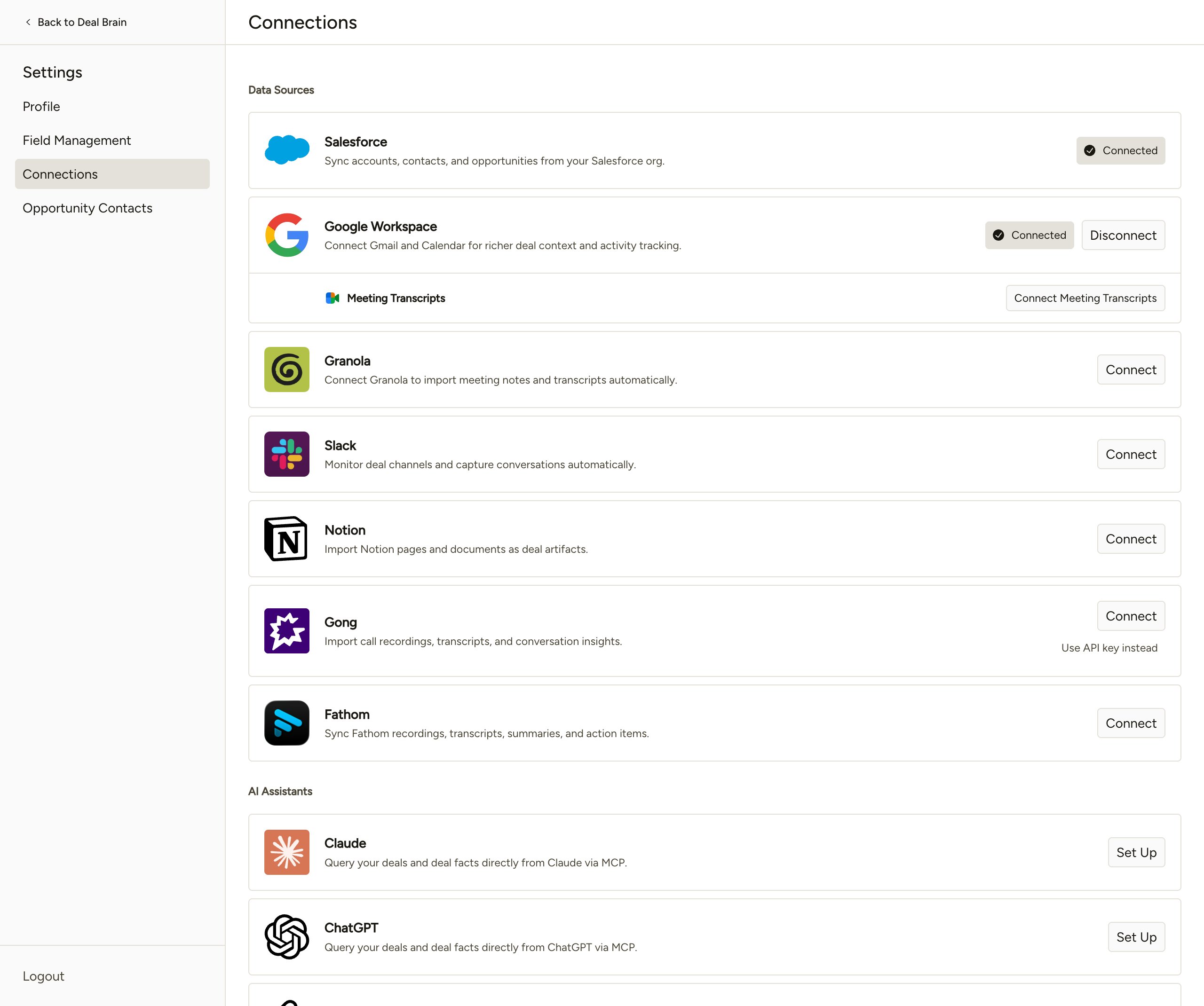
2
Authorize Tempo in Fathom
You’ll be redirected to Fathom’s consent screen. Confirm access for the workspace you want Tempo to read from and click Allow.
3
Confirm the connection
You’ll return to Tempo with Fathom showing as connected. Initial sync runs in the background; meetings and transcripts begin appearing within a few minutes.
Permissions
Tempo requests the following Fathom OAuth scope:What we do with this access
- Pull meeting metadata (title, recording start time, attendees, recording URL), full transcripts with speaker attribution, and AI summaries
- Receive action items in real time when Fathom finishes processing a call
- Associate each meeting with the right Opportunity, Account, and Contacts in Tempo via the CRM associations Fathom already maintains
- Surface meeting context in deal briefs, follow-ups, and proposed CRM updates