> ## Documentation Index
> Fetch the complete documentation index at: https://docs.findtempo.co/llms.txt
> Use this file to discover all available pages before exploring further.
# Slack
> Connect Slack to give Deal Brain real-time conversation context from your deal channels.
Deal Brain connects to Slack to ingest conversation context from channels tied to your opportunities. This helps Deal Brain stay up to date on what's happening in your deals without you having to manually log anything.
## Connecting Slack
Connect Slack from the [Connections page](https://findtempo.co/app/settings/connections) in your Deal Brain settings. Click **Connect** next to Slack and authorize Deal Brain's access to your Slack workspace.
 ## Linking channels to opportunities
Once Slack is connected, you'll see your Connections page with Slack enabled but no channels linked yet.
## Linking channels to opportunities
Once Slack is connected, you'll see your Connections page with Slack enabled but no channels linked yet.
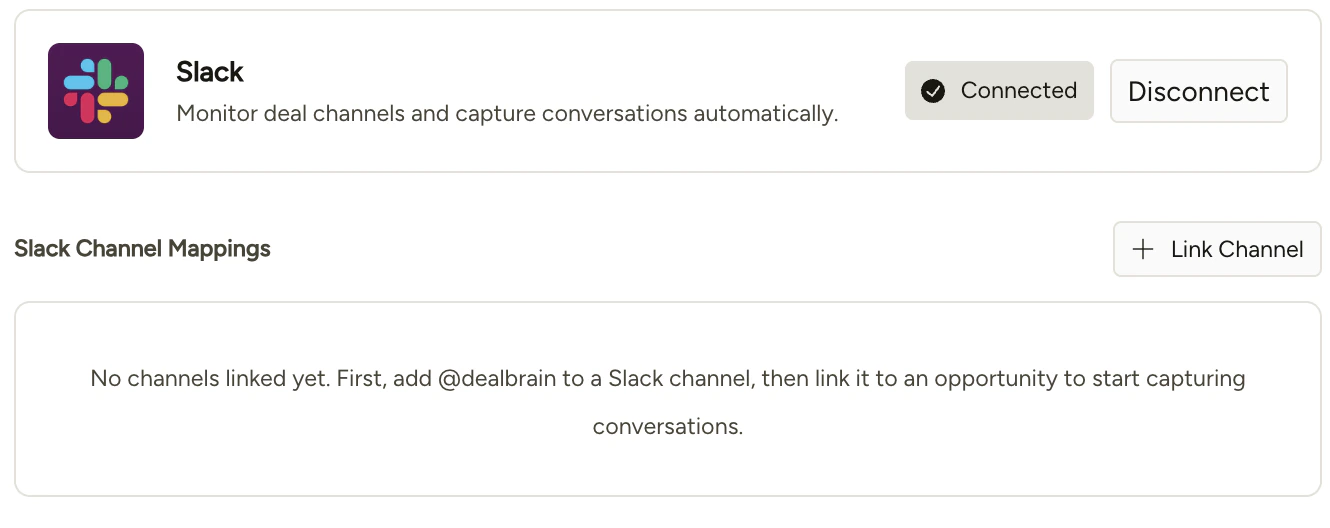 From here, you can link individual Slack channels to opportunities in Deal Brain. Each channel maps to a specific opportunity, and Deal Brain ingests context from that channel to inform its understanding of the deal.
Before a channel appears in the linking control, you need to add the Deal Brain app to that channel in Slack first. You can do this by typing `/invite @Deal Brain` in the channel.
From here, you can link individual Slack channels to opportunities in Deal Brain. Each channel maps to a specific opportunity, and Deal Brain ingests context from that channel to inform its understanding of the deal.
Before a channel appears in the linking control, you need to add the Deal Brain app to that channel in Slack first. You can do this by typing `/invite @Deal Brain` in the channel.
 ## Ingest modes
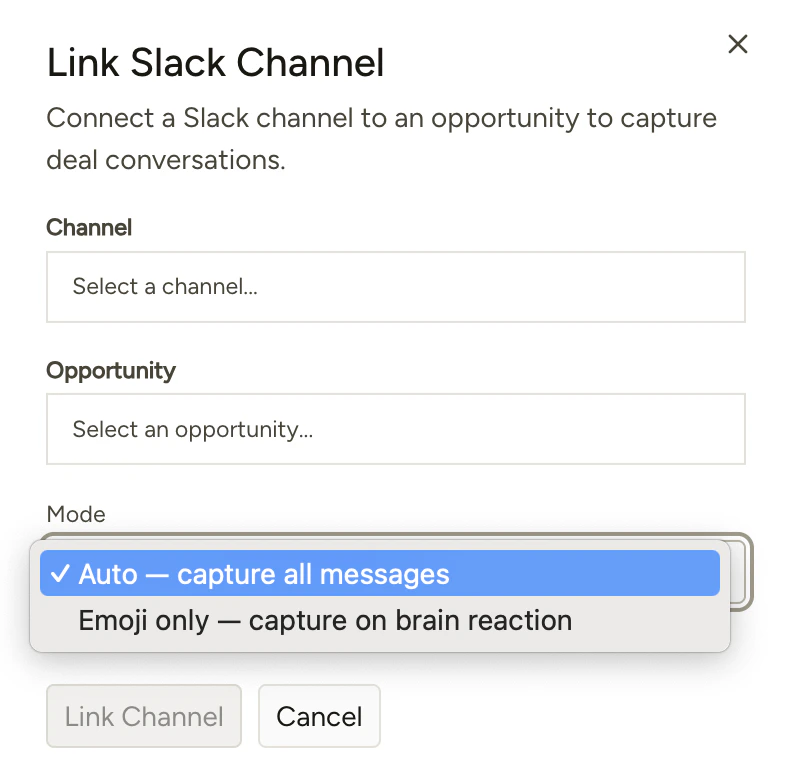
When linking a channel, you'll choose how Deal Brain ingests context from it:
| Mode | Behavior |
| -------------------- | ---------------------------------------------------------------------------------------------------------------------------- |
| **All messages** | Deal Brain ingests everything posted in the channel. |
| **Brain emoji only** | Deal Brain only ingests messages tagged with the 🧠 emoji. Use this when you want selective control over what gets captured. |
The brain emoji mode is useful for high-volume channels where only specific messages are relevant to the deal.
## Ingest modes
When linking a channel, you'll choose how Deal Brain ingests context from it:
| Mode | Behavior |
| -------------------- | ---------------------------------------------------------------------------------------------------------------------------- |
| **All messages** | Deal Brain ingests everything posted in the channel. |
| **Brain emoji only** | Deal Brain only ingests messages tagged with the 🧠 emoji. Use this when you want selective control over what gets captured. |
The brain emoji mode is useful for high-volume channels where only specific messages are relevant to the deal.